Give every person the right view.
Quantaflex creates two deliberate views from one laptop: a clean learner view with the lesson material and presenter, and a separate presenter workspace with slides, private notes and session controls. Each person sees what helps the lesson move forward.
Prepare the teaching material before the session.
Bring in the deck or shared material, review the opening slide, and decide what the learner needs to see. A prepared first minute makes a session feel deliberate instead of improvised.
Keep private notes private.
Pro Online Learning keeps PowerPoint notes with the presenter while the learner sees only the shared slide. It gives educators a composed way to teach from one laptop, without placing prompts or controls in front of the learner.
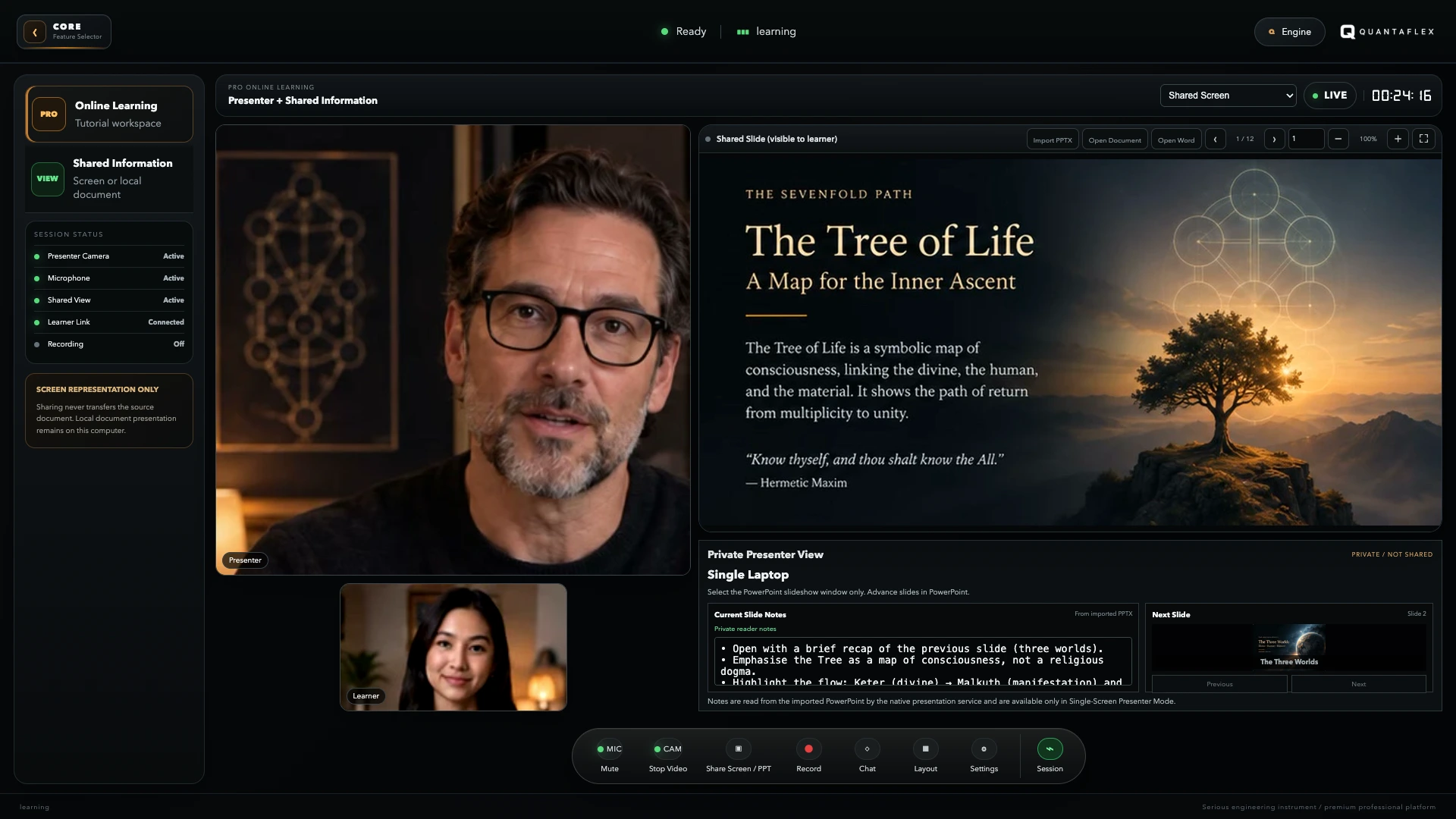
A calmer way to prepare an online lesson.
Set the lesson shape
Check the order of shared slides and make sure the opening material is ready before the learner joins.
Check your own view
Confirm camera, audio, notes and controls are visible to you, but not distracting the learner.
Keep the view clear
Share only the material that helps the session. Clear presentation makes it easier to listen and learn.
Useful questions before you teach online.
What should I prepare before an online lesson?
Prepare the teaching material, test the presenter camera and audio, and check what the learner will see. A short run-through of the opening minute removes most avoidable disruption.
How can I present slides while keeping private notes?
Use a teaching workspace that keeps shared slides in the learner view while keeping presenter controls and private notes separate on the presenter side.
Can an online teaching workflow be permanent software rather than another subscription?
Yes. A permanent desktop platform can provide teaching and media tools without adding another recurring software charge.