
One source. The right shape for every platform.
A single social idea often needs a landscape version, vertical cut, square post and a clean professional crop. FlexCam brings the source media, timeline, captions, titles, logos and platform previews into one local workspace so the work stays coherent.
Publish where FlexCam is connected.
Once connected through the normal platform channel, FlexCam can publish to YouTube and LinkedIn. TikTok, Instagram and Facebook versions are exported in the correct format, ready to upload in those apps.
Keep the working files where you expect them.
Finished social files are saved under Documents › Quantaflex Social Video. The source stays in your own workflow; each finished version has a clear destination.
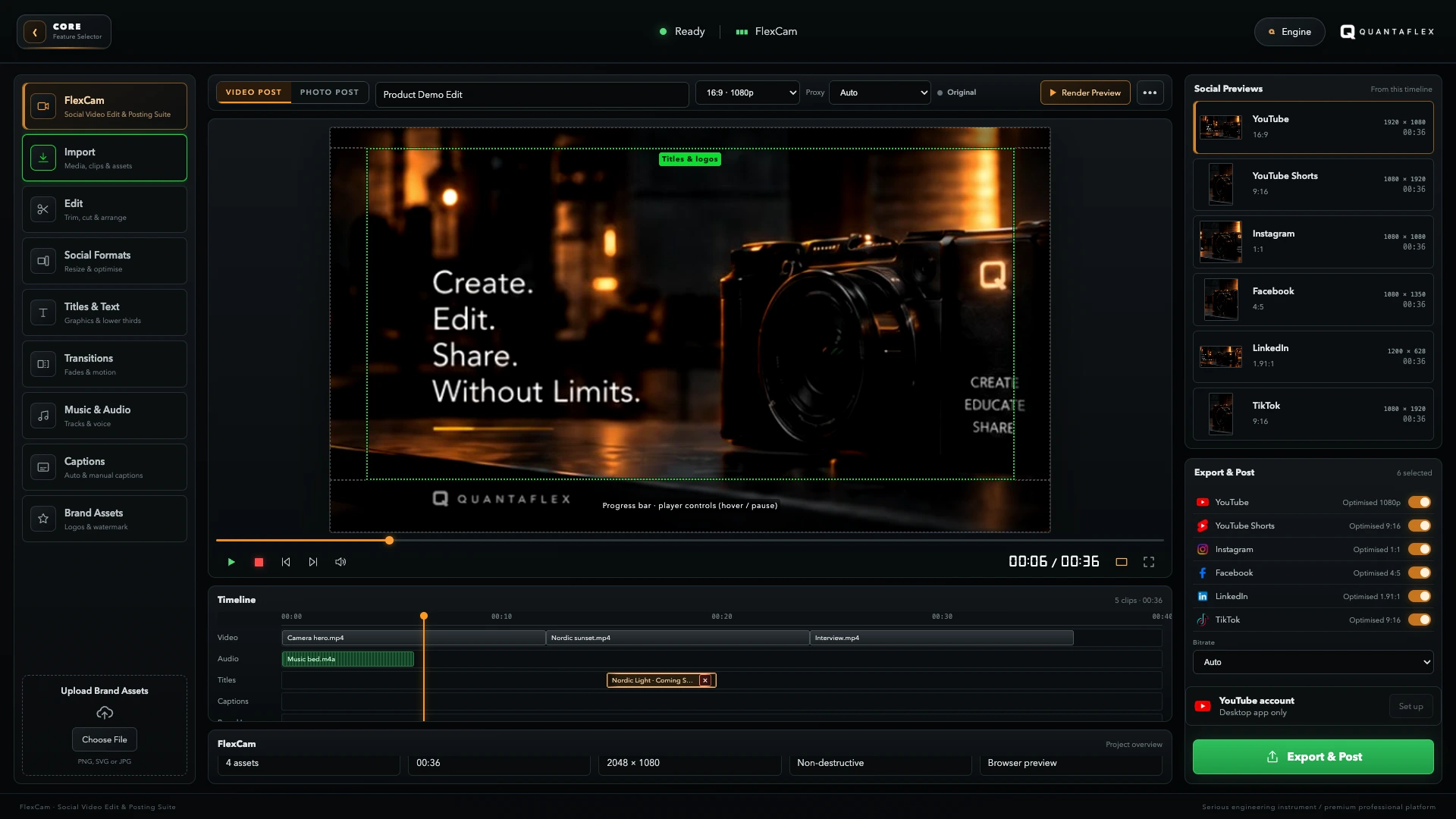
The formats, ready to shape.
- YouTube · 16:9 · 1920 × 1080Long-form video, with direct publishing when connected.
- YouTube Shorts and TikTok · 9:16 · 1080 × 1920Vertical versions with safe-zone guides; TikTok exports ready to upload.
- Instagram · 1:1 · 1080 × 1080A square version, exported ready to upload.
- Facebook · 4:5 · 1080 × 1350A feed-ready version, exported ready to upload.
- LinkedIn · 1.91:1 · 1200 × 628A professional landscape version with direct publishing when connected.
Useful questions before you make the post.
Which social platforms can FlexCam publish to directly?
FlexCam can publish directly to connected YouTube and LinkedIn accounts after the normal platform connection is completed. It creates export-ready files for TikTok, Instagram and Facebook.
What can I add to a FlexCam social post?
Add titles, captions, logos, taglines, stickers, entry and exit transitions, cropping and platform-specific safe-zone guides. Photo mode also lets you assemble images into a post.
Do I have to rebuild the project for every platform?
No. Build the source once, then preview and refine the framing for the destination formats you need.